
Download BOB Player PREMIUM APK – 4K streaming, media player, online TV streaming, playlist management, VLC integration, reseller program, theme customization, movie posters, language selection, secure media consumption, legal streaming, DMCA compliance
Overview
BOB Player: PREMIUM is a desktop application designed for media consumption, offering a streamlined experience for users seeking a reliable platform for online TV streaming. The software positions itself as a lightweight and user-friendly multimedia solution, aiming to meet the needs of individuals who prioritize ease of use and legal compliance in their viewing habits. Targeted primarily at consumers and casual media enthusiasts, it provides tools for managing playlists and accessing high-definition content. The application integrates with the VLC media player, enhancing its ability to support a wide range of media formats, which contributes to its versatility.
Users are required to provide their own media content, as the app does not include any built-in content or playlists. This design choice emphasizes the software’s role as a playback platform rather than a content provider. The developer, BOB Player, highlights compliance with copyright laws, including DMCA standards, to ensure that the application operates within legal boundaries. This focus on legal streaming may limit the availability of certain media but appeals to users who value secure and lawful media consumption. The app supports multiple platforms, allowing users to access their content across various devices, though specific platform details were not provided.
Key Features & Capabilities
- 4K Streaming Support – Enables high-definition playback of video content for an immersive viewing experience.
- Playlist Management – Allows users to organize and manage their media files efficiently, facilitating easy access to preferred content.
- VLC Media Player Integration – Leverages the robust decoding capabilities of VLC to ensure compatibility with diverse audio and video formats.
- Theme Customization – Offers six different themes to personalize the app’s visual interface, enhancing user engagement and aesthetic appeal.
- Movie Posters and Trailers – Provides visual elements such as movie posters and trailers to enrich content discovery and browsing.
- Language Selection – Supports multiple language options, improving accessibility for international users.
- Activation Services – Includes mechanisms for activating the app and BOB Player Pro for a defined period using various payment methods.
- Reseller Program – Enables users to become resellers by selecting a package, allowing for expanded distribution of the software.
- Seven-Day Trial – Offers new users a temporary access period to evaluate the app’s features before committing to a purchase.
These features collectively support a seamless media consumption workflow, particularly for users who maintain personal media libraries. The integration of VLC ensures that playback remains stable across formats, while the customizable interface caters to diverse user preferences. The reseller program introduces a unique aspect for users interested in monetizing the app’s distribution, though details on the program’s structure were not provided.
User Interface, Workflow & Performance
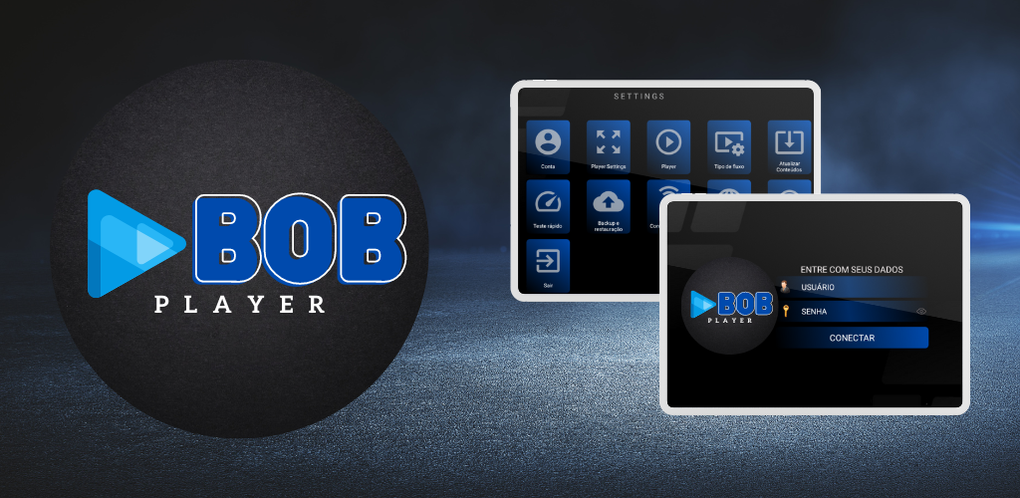
The user interface of BOB Player: PREMIUM appears to be designed with simplicity and accessibility in mind. Navigation is structured to allow quick access to core functions such as playback, playlist management, and settings. The inclusion of visual elements like movie posters and trailers suggests a focus on intuitive content discovery, particularly beneficial for users browsing large media collections.
Workflow efficiency is enhanced by the app’s lightweight nature and integration with VLC, which reduces the likelihood of playback interruptions. The interface supports theme customization, allowing users to adjust the visual style to their preference. However, specific performance metrics such as CPU or RAM usage were not specified by the developer. General software behavior patterns suggest stable operation under typical conditions, but real-world performance may vary based on device capabilities and media file complexity.
The app’s stability and responsiveness are expected to be consistent, given its lightweight design and reliance on a well-established media engine. No information was provided regarding crash rates, update frequency, or background processes. Users are advised to monitor performance based on their individual system configurations.
Compatibility & System Requirements
BOB Player: PREMIUM is available for Android, as specified in the provided information. The software version is 2.0.3, with a file size of 40 MB, indicating a compact installation footprint. This suggests minimal storage requirements, which is beneficial for devices with limited space.
Exact system requirements were not listed, including details about minimum RAM, processor speed, or Android version compatibility. The developer did not provide additional system requirements. Users are encouraged to verify compatibility with their device’s specifications before installation. While the app supports multiple platforms, specific platform details beyond Android were not disclosed.
Pros and Cons
Pros
- Lightweight design with a small installation size of 40 MB.
- Supports 4K streaming for high-quality video playback.
- Integration with VLC ensures broad media format compatibility.
- Offers theme customization and visual enhancements like movie posters.
- Includes a seven-day trial for new users to test functionality.
- Complies with copyright laws, including DMCA, promoting legal usage.
- Provides a reseller program for users interested in distribution.
Cons
- Users must supply their own media content; no built-in library or playlists.
- Specific system requirements were not provided.
- Compatibility with devices beyond Android is unclear.
- Reseller program details are limited and not fully disclosed.
- Performance under heavy media loads may vary without specified resource usage data.
FAQ Section
Is BOB Player: PREMIUM compatible with Windows or Mac?
The provided information specifies that the software is available for Android. Compatibility with Windows or Mac was not confirmed.
Is the app safe to download and use?
BOB Player: PREMIUM emphasizes compliance with copyright laws, including DMCA standards, which supports its legal operation. However, users should ensure they are accessing content through legitimate sources.
How often are updates released?
Update frequency was not specified by the developer. Users are advised to check the official source for the latest version.
What type of license does the app use?
The software requires activation through payment, suggesting a paid license model. The exact license type was not detailed.
Can I use the app offline?
While the app supports offline media playback, the activation process requires online connectivity. Users may need to maintain internet access for initial setup and license verification.
Final Thoughts + CTA
BOB Player: PREMIUM presents itself as a focused, legally compliant media player tailored for users who value secure and customizable streaming experiences. Its integration with VLC, support for 4K playback, and theme customization offer tangible benefits for media enthusiasts. The inclusion of a trial period and reseller program adds flexibility for both end users and potential distributors.
While the requirement to provide personal media content may limit appeal for casual users seeking ready-made libraries, it ensures legal compliance and user control over content. The lack of detailed system requirements and platform information remains a consideration for prospective users.
For individuals seeking a lightweight, secure, and customizable media playback solution with legal streaming capabilities, BOB Player: PREMIUM delivers a compelling package. Download BOB Player: PREMIUM APK now to experience seamless, legal media consumption on your Android device.





.png)

